
Free week
$0for 7 days
- Everything, nothing held back
- No card, no account
- Nothing charged on its own
Open apps, find files, run errands in your browser and watch your coding agents, right on your Mac.
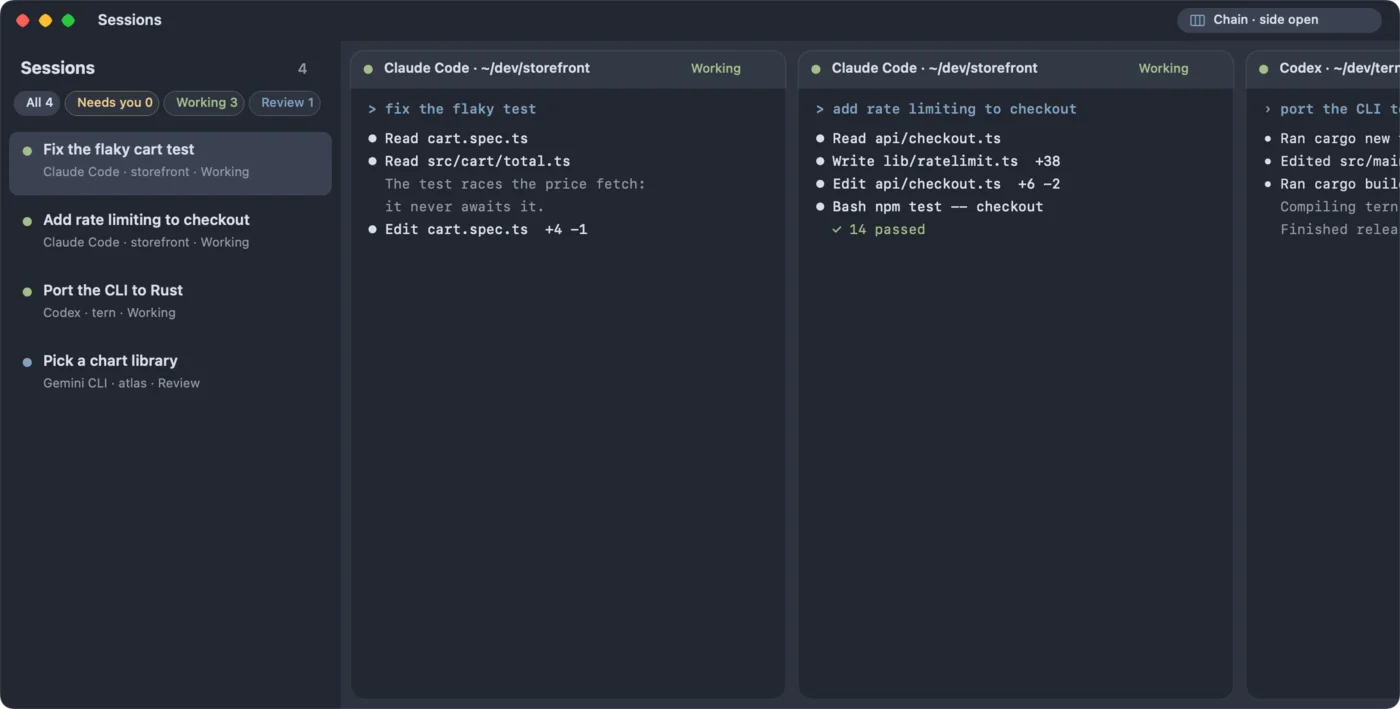
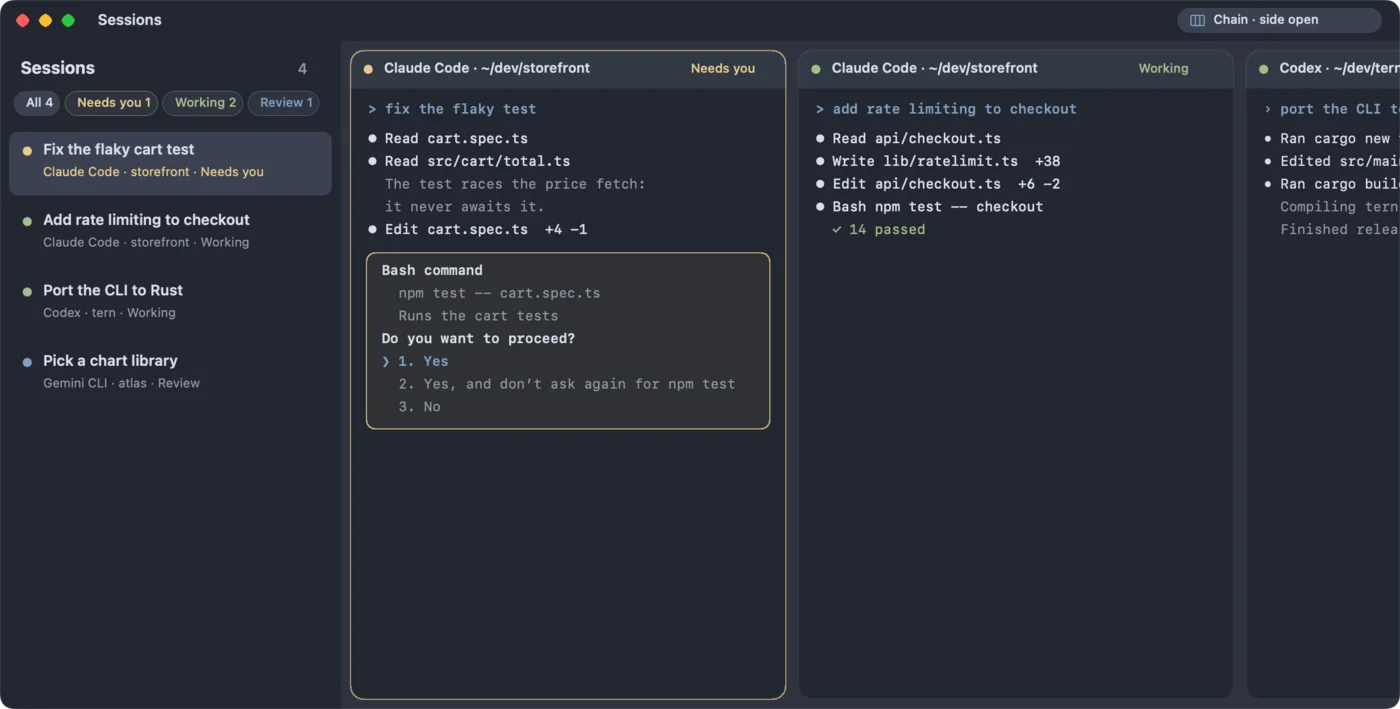
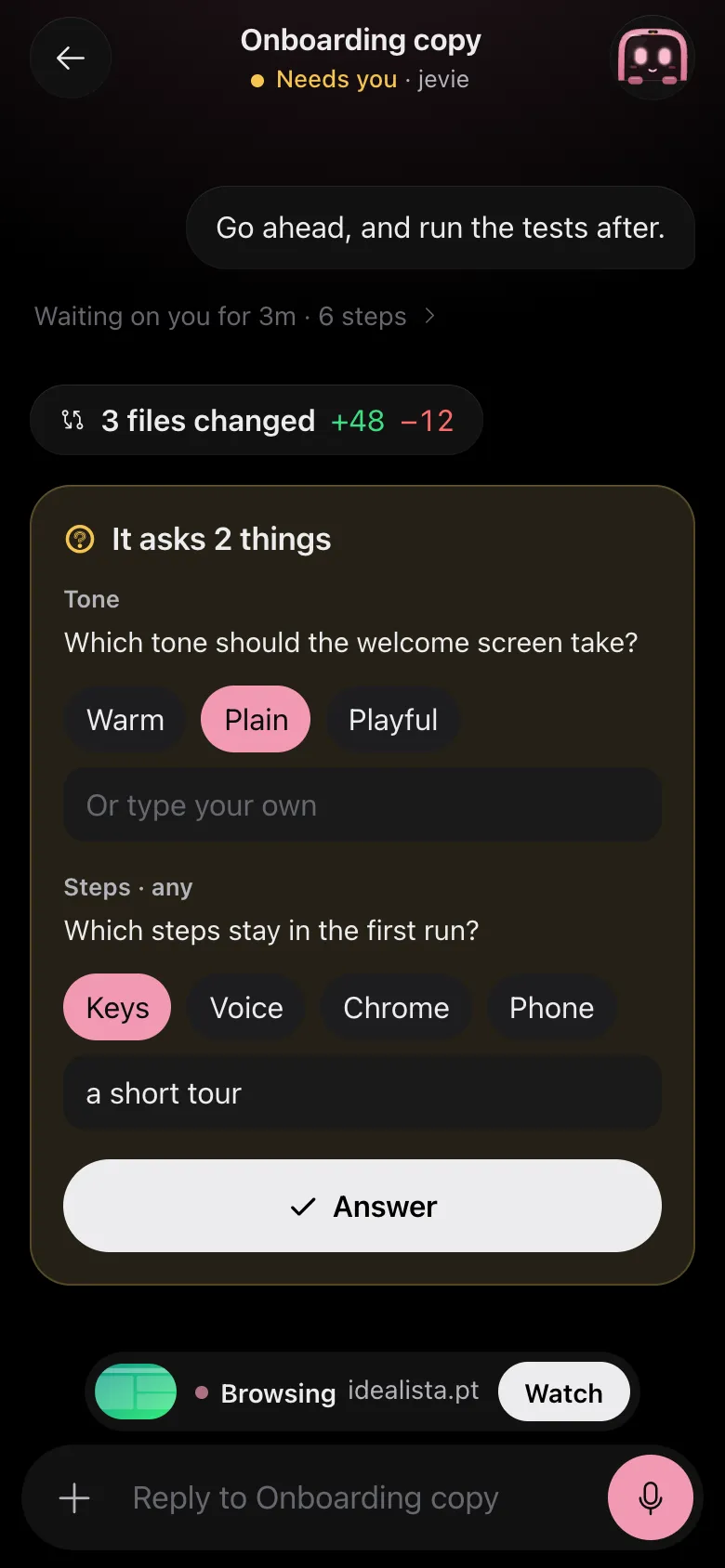
Claude Code, Codex and Gemini side by side, each in its own folder, each telling you when it needs a yes. Answer from the Mac, or from your phone on the train.
Found in the launcher, dropped on the agent.Claude can’t make the bug happen. The screenshot is one search away, and dragged onto its prompt it lands as the file’s path.
Spaces, threads and DMs for people and their agents together. Mention anyone’s agent and it gets to work on their Mac, in a branch of its own, and answers right in the thread.


Quitting an app, closing all but one, uninstalling, restarting: elsewhere each is a command to find, a list to scroll and a window to confirm. In Jevie you say it once.
Your snippets, quicklinks, hotkeys and the rest come with you. Nothing in Jevie is replaced, and one more sentence puts it all back.
Everything you did in Raycast, said in plain words →Works with the apps and sites you already use
Flights you can compare, a market you can read at a glance, places on a map, a converter that keeps working. Each answer is built for what you asked, from what Jevie looked up.
Tap ⌘ twice and ask out loud. Press ⌘ Space and keep going by typing, the answer still there. Hold ⌘ and your words go into whatever app you are in.
Jevie listens, then does it.
Mail, Slack, Notes, a terminal: any field, any app.
One sentence becomes several errands. Each agent takes its own app, with its own pointer, reading the screen through what the app says is there, not by guessing at pixels. You keep working.
By hand 9 steps
With Jevie 1 sentence
Say it the way you’d say it to a friend. Jevie finds it, answers it, fixes it, books it, and stops before you pay.
Your changes will be lost if you don’t save them.
▾ Northwind
CartView.swift
Checkout.swift
Store.swift
struct CartView: View {
  @State var items: [Item]
  var body: some View {
    List(items) { item in
      Row(item)
    }
  }
}call the bank
book Denver hotel
renew the lease
Ana RuizQ4 numbers, final
LandlordLease renewal
AirlineCheck in for Denver
Ben OkaforStorefront launch
BankYour statement
# general
# launch
# design
Ana Ruiz
Ana Ruiz shipping the storefront at 4?
Ben Okafor build is green, waiting on copy
Mei Lin copy is in the doc
~/storefront $ npm run dev
ready on http://localhost:3000
^C server stopped
Low Tide Club
AirDrop
Recents
Applications
Desktop
Documents
Downloads

Live · nothing you tap leaves this page
A sentence goes to a model only when one is needed to answer it. Everything Jevie remembers stays on your Mac.
API keys live in your Keychain. Passwords never reach a model.
Off: nothing is counted, nothing is queued.
Everything for seven days, no card. After that, Care keeps Jevie’s cloud thinking for you, or a key of your own keeps Jevie free for good.
$0for 7 days
$3.99a month
Say “care for jev” in Jevie, or pick it in the first run
$0for good
Paste it in the first run
Each friend who joins with your link gets a month of Care, and so do you, for up to six friends. Checkout is Stripe’s; Jevie never sees your card. How plans work
The first week is free, everything in it, with no card and no account. Then Care, at $3.99 a month, keeps Jevie’s cloud thinking for you and your phone paired. Or paste a key of your own and Jevie is free for good: you pay its usage directly. How plans work
No. With an early-access invite, Jevie Cloud gives you searching, reading pages and quick answers. For writing and planning, connect what you already use: Gemini CLI (free with a Google account), Claude Code or Codex. Jevie runs them under your own login and never signs in for you.
Yes. Say “import from raycast” and your snippets, quicklinks, script commands, hotkeys, aliases, AI commands and notes come over; “undo the raycast import” puts it all back. Jevie opens with ⌘Space, and the first run moves Spotlight to ⌥Space in one click. Coming from Raycast
No. An errand goes as far as the cart, the ride options or the booking form, and stops: paying, ordering and booking are always yours. Anything that changes, sends or deletes asks you first, unless you told it that it may.
What Jevie keeps stays on your Mac: notes, memory, clipboard history, routines. What you say is heard on the Mac. A sentence goes to a model only when one is needed to understand or answer it. Usage counts are numbers and fixed labels, never what you typed, and are sent only after your yes. Privacy, in full
It opens, arranges and quits any app, works with the app in front, works the web in Jevie’s own browser signed in with your Chrome, and reaches Gmail, Google Calendar, Calendar, Notes, GitHub, Jira and more.
Claude Code, Codex, Gemini CLI, OpenCode and pi run side by side on one wall. Ask “what’s Claude doing” from anywhere, and answer a session that is waiting for you in one place.
Jevie runs on your Mac. On Care, pair your phone with one QR code (over Tailscale, free) and ask from anywhere; the app reaches the App Store and Google Play soon. Windows and Linux are on the way.
Download it, open Jevie.dmg and drag Jevie to Applications. The first time, right-click Jevie and choose Open. Then press ⌘Space and say anything. Updates install themselves.
A free week, no card. Ready in a few minutes.
Then press ⌘Space and say anything.
Then pair it with Jevie on your Mac: one QR code.